





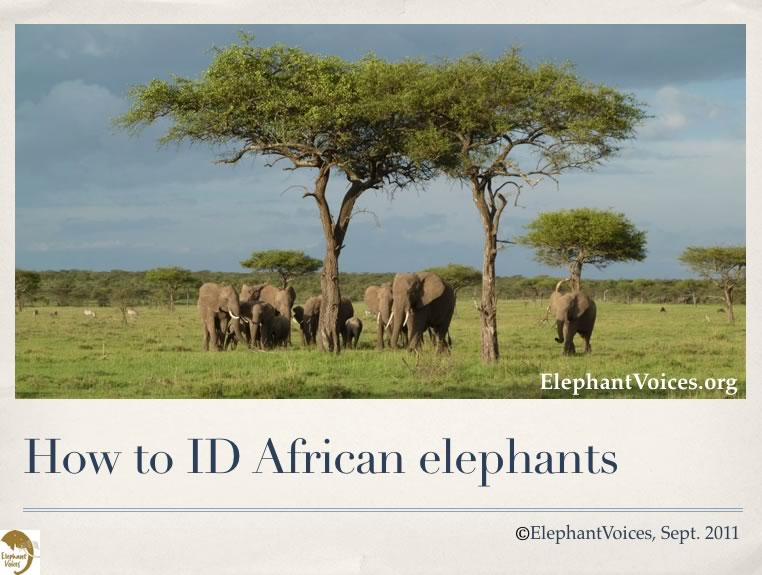
 The Mara Elephant Who's Who database is being populated by examining photographs of elephants and coding in characteristics of each individual. In order to use the database effectively you need to understand the terminology used. In most cases the terms are intuitive; "no tusks" means the individual has "no tusks". But you may not understand terms such as "dip-notch". Before you search for an elephant, take time to understand the different criteria under the Features Guide, where you will find eight educational slideshows going through the criteria that have been used to populate the Who´s who database. You need to be approved as a user and logged in to get access to individual data in the databases. A statement regarding our policy in regard to access to the data you can read here.
The ID card with photos for each of the elephants registered in the Mara Elephant Who's Who database can be printed out as a .pdf, for guides and others in the Mara wanting to bring it out on a game drive or walk as basis for better insight and storytelling. Or by visitors wanting to look for and learn more about elephants in the Serengeti-Mara ecosystem - a key population for Kenya and it's people and likewise for Tanzania.
Try to narrow down your search
The fully searchable Who's Who Database has been coded such that each additional selection narrows the search. If you select "hole" in the left ear and "V-notch" in the right you can narrow your search to a few elephants. But, if we have not entered the hole, or you select the wrong feature, the elephant you are trying to ID will be excluded from the search result. Be prepared to try again with fewer criteria.
Keep in mind that one man's "U-notch" may be another's "cup-notch". We have tried to enter both where there can be confusion; if you don't find the elephant you are searching for try selecting a slightly different set of features.
Start by sexing the elephant and using the elephant´s most salient characteristicsWe suggest that you select only a few of the elephant's most salient features, starting with the individual's sex. Then assess what are the elephant's next most obvious characteristics. Notches, tears and holes in an elephant's ear, or lack of them, are the most durable features. Determine the single most salient characteristic of each ear and select these. Tusks are prone to change over time - they grow, they break and they regrow. They are usually good features to use for older individuals, but less good for younger individuals. Try to select the most obvious feature of the tusks. You may select more than one feature in each scroll-down (for instance tusks "upcurved" and "left-higher") by holding the command/control key as you select. This is a great way to narrow your search. |
Do you know the area the elephant was seen?
Selecting the General Area that the elephant was seen can also exclude many elephants and may help you to find the elephant you are looking for. Try it, but be prepared to exclude it. Remember, it won't help if we do not already have a record of that individual in that particular area.
Once you click the search button the selections you have made will appear at the top of the scroll bars and the elephants who fit the selected characteristics will appear below.
If you hover over a code number, thumbnails of that elephant will appear. You can then scan general tusk and ear shapes to see whether any look like the elephant you are searching for. Clicking on a thumbnail will bring up the elephant's ID Card with larger images. Click on an image and the full size picture will appear for you to study.
Reset or deselect features and try again
Not the elephant you are looking for? Close the window and scan through the other elephants. If you don't find who you are looking for, revise your search by either clicking the reset button or using Command/Control button as you click the features you want to deselect.
If you still don't find the elephant you are looking he or she may be a elephant we haven't registered it.
How to query the Mara Elephant Who's Who database
If you have questions about the elephants registered in the Who's Who Database you can go to the query page. Enter or select the criteria you are interested in and click search.
How to query the Mara Elephant Whereabouts database
If you want to find out information about the Mara elephants you can query the Whereabouts Database. Go to the Whereabouts page and use the scroll downs to select the subset of data you are interested in and click search. If you want to know more about a particular observation clicking on it will take you to the record. In some places, such as the Naimina Enkiyio Forest, it is more difficult to observe elephants and there we are resorting to collecting elephant signs as "observations". In these cases the signs observed are noted in the field notes, until the next version of the Mara EleApp with these options included is launched.
How to use Mara Elephants Mapping function
If you want to see the observations depicted on a map, and you are approved as user, go to the mapping page. Accessing the Mapping function reveals the number of elephant groups observed in the Mara and uploaded to the Whereabouts Database. These "observations" consist of elephant groups, sick or wounded elephants and elephant mortalities. By searching on a name (on human or elephant), or by selecting the various clickable options, you can filter the observations to learn about specific areas, observers or elephants in more detail. You can also search on a specific time frame. Furthermore, we have developed the database such that a filtered search available to administors of the database may be exported for further analysis.
How to comment on an elephant, or add an observation
As approved user you can comment on a particular elephant on the elephant's ID card, and you can upload your own observations from the Mara either through the web or with the help of our Android-based Mara EleApp available on Google Play. You will not be able to see your uploaded observation immediately, due to a security delay set by us.